

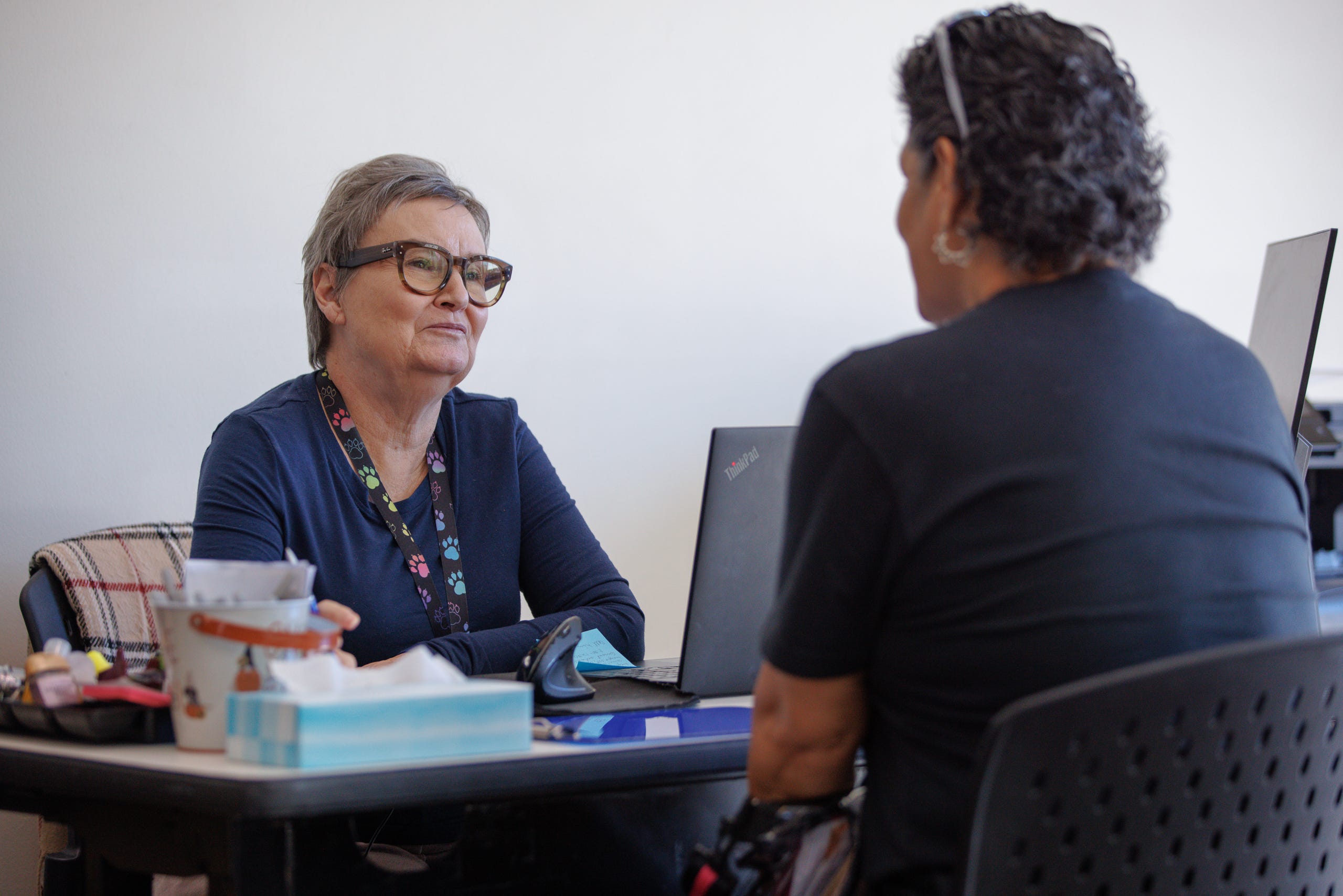
When they meet with clients, caseworkers have to make a choice over and over: pay attention to the person in front of them, or look away to type notes into a computer. Do the first, and they’re left trying to remember the conversation at the end of a long day. What the client said about their income, their rent, who lives in the household, and which documents they need to find. The alternative is spending most of the interaction with their focus on a screen instead of a person.
One client interaction can turn into a note in a case management system, required forms and other outputs. Often times different providers and funders want the same information reported in slightly different ways. Additionally, if the caseworker spoke with a client in another language, they’ll have to write an English record in their case management system, then write back to the client in their preferred language. All of this documentation burden adds stress to staff who support people who are often already in a crisis, leading to high rates of burnout and turnover.
We’ve been prototyping a tool for those interactions. With consent, the tool transcribes the conversation, pulls out the case facts, and drafts a case note for the worker to review and correct before anything gets saved. The tool does the first pass and the caseworker can correct and edit any outputs. This prototype is a way for us to explore the implications of voice AI on case note accuracy, administrative burden, privacy and consent.
A note on data privacy: This early prototype is meant to explore the potential of these tools, and isn’t yet being used for any real client interactions. Our team would do a complete audit of where (and if) data is being stored securely before implementing this tool.
What’s out there
“Ambient AI” has been maturing, with model providers like Assembly AI offering a Realtime Speech-to-Text API that can transcribe interactions and even assign speaker labels on the fly. There are many applications of models like these, especially in the healthcare space, where providers like Abridge offering documentation support for clinical providers.
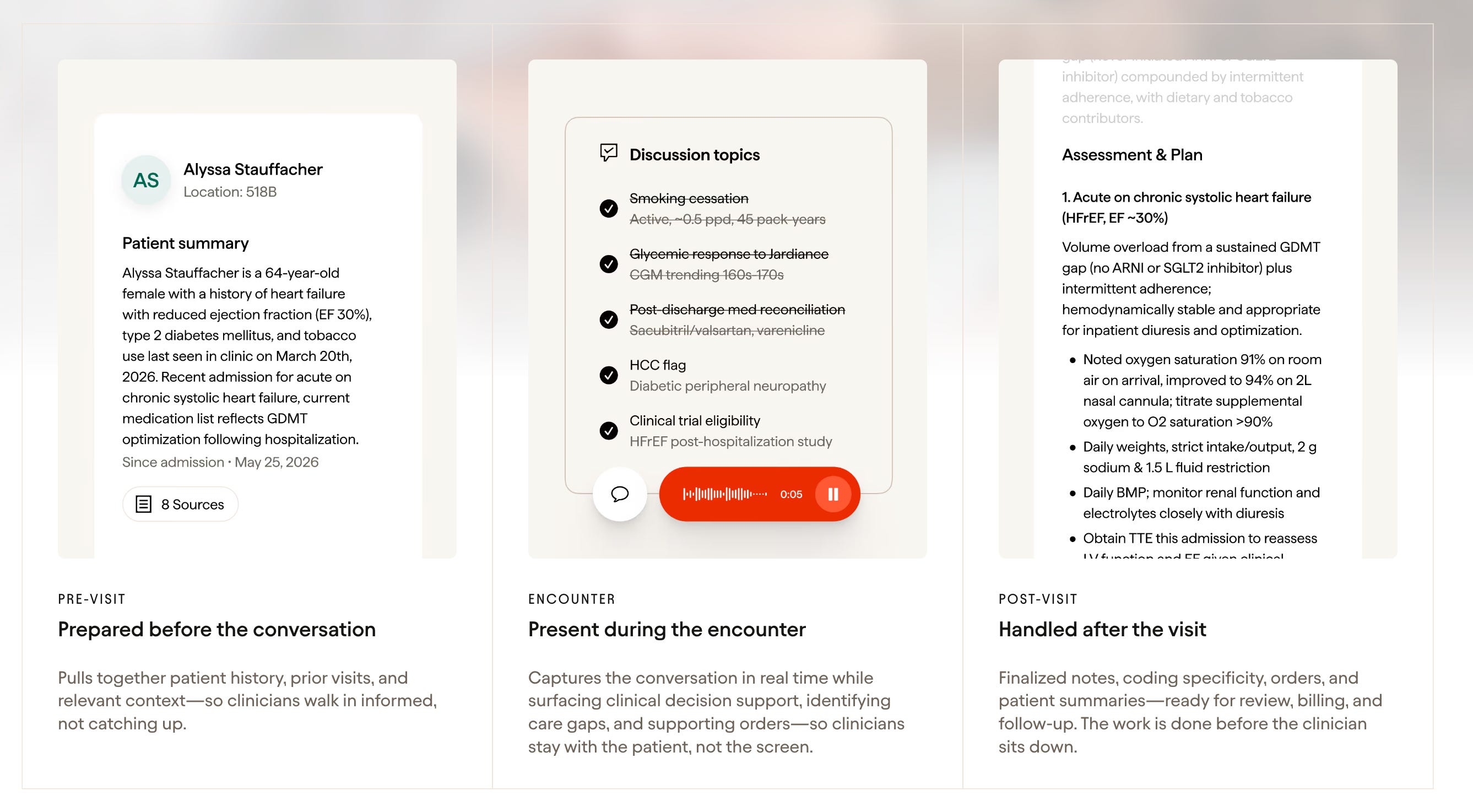
Case workers we’ve talked to have been curious about the idea, with reservations about client privacy and the accuracy of the outputs. But so far, the only real application we’ve heard from case workers is them adding notes (with sensitive info manually removed) to ChatGPT to format them into the appropriate template.
Prototype walkthrough
To explore this concept, the prototype walks through five steps: set up the session, capture the conversation, review the facts, review the drafts, and finalize.
It opens by asking who’s in the meeting. The worker adds themselves and the client by name before any recording starts, and consent is confirmed here too.
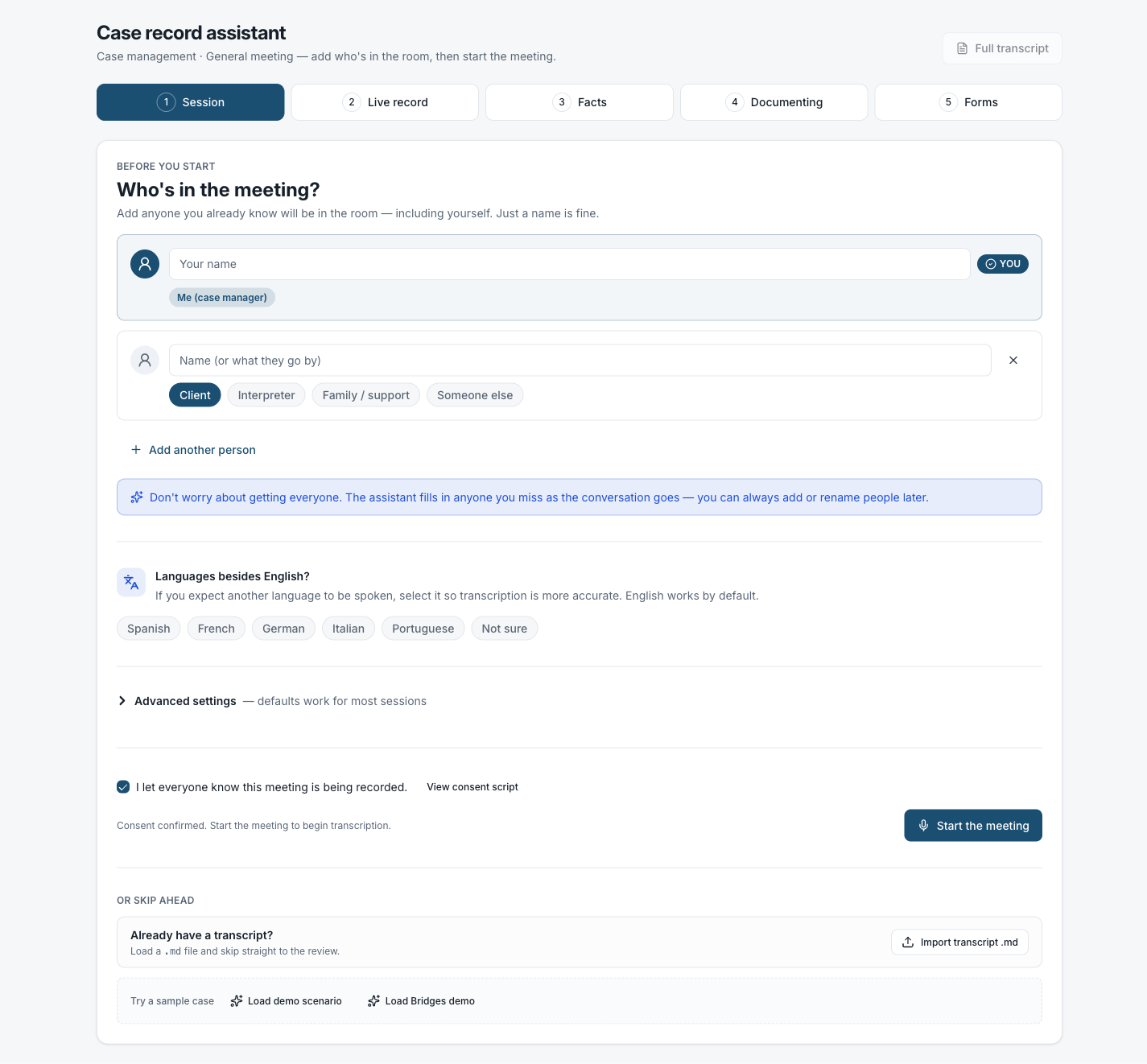
Session setup. Add participants and confirm consent before the conversation begins.
During the conversation, the tool transcribes in real time. In the demo scenario, a SNAP renewal where the client speaks Spanish, the bilingual transcript shows each turn in both languages, color-coded by speaker. When the conversation ends, the transcript is ready to review before moving to fact extraction.
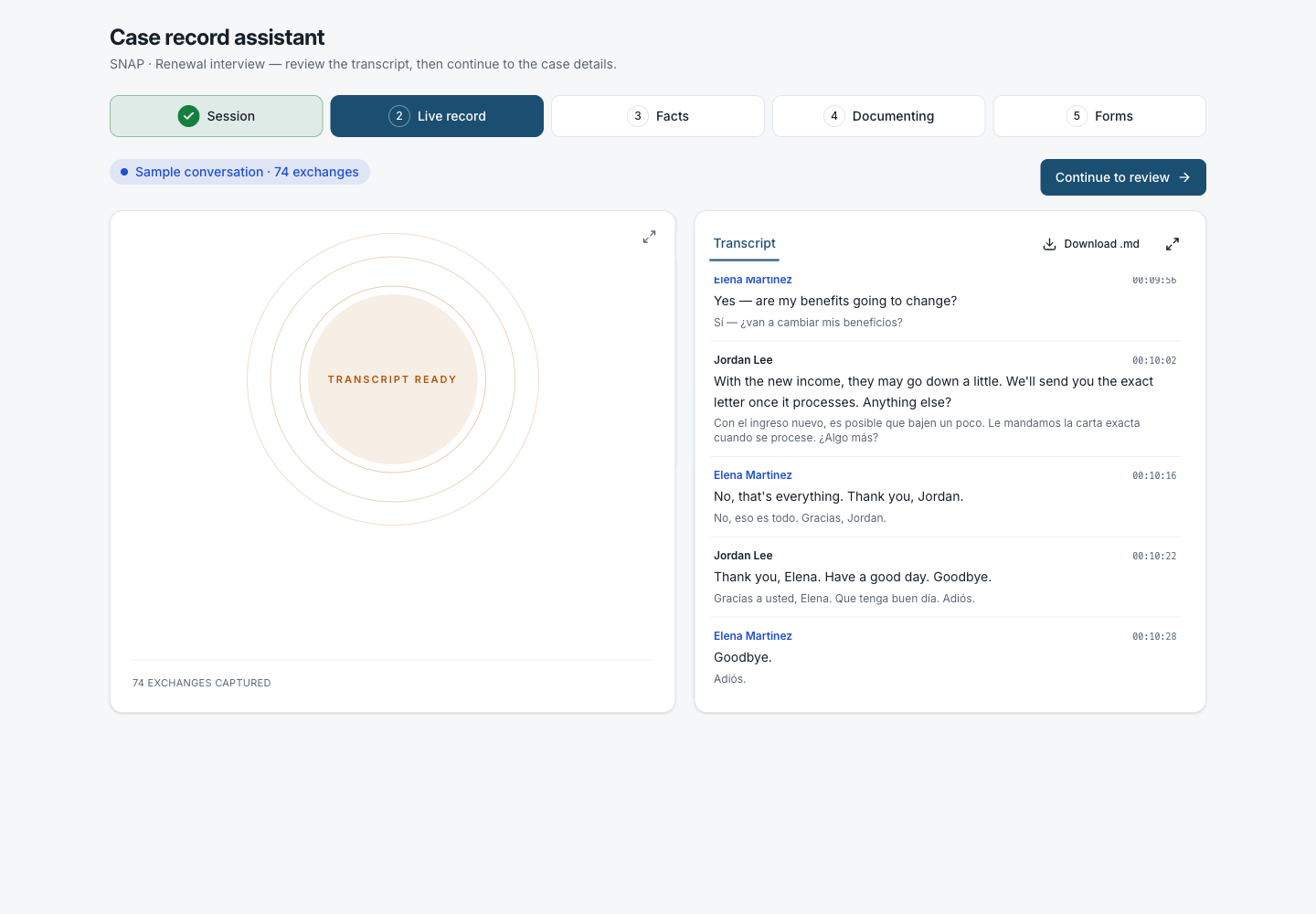
Live record. The bilingual transcript shows both languages side by side, speaker-labeled and timestamped.
After the conversation, the worker reviews extracted facts grouped into “Needs review” and “Accepted.” High-confidence details (address, household members, income, expenses) are pre-accepted but editable. Lower-confidence items surface at the top for explicit review.
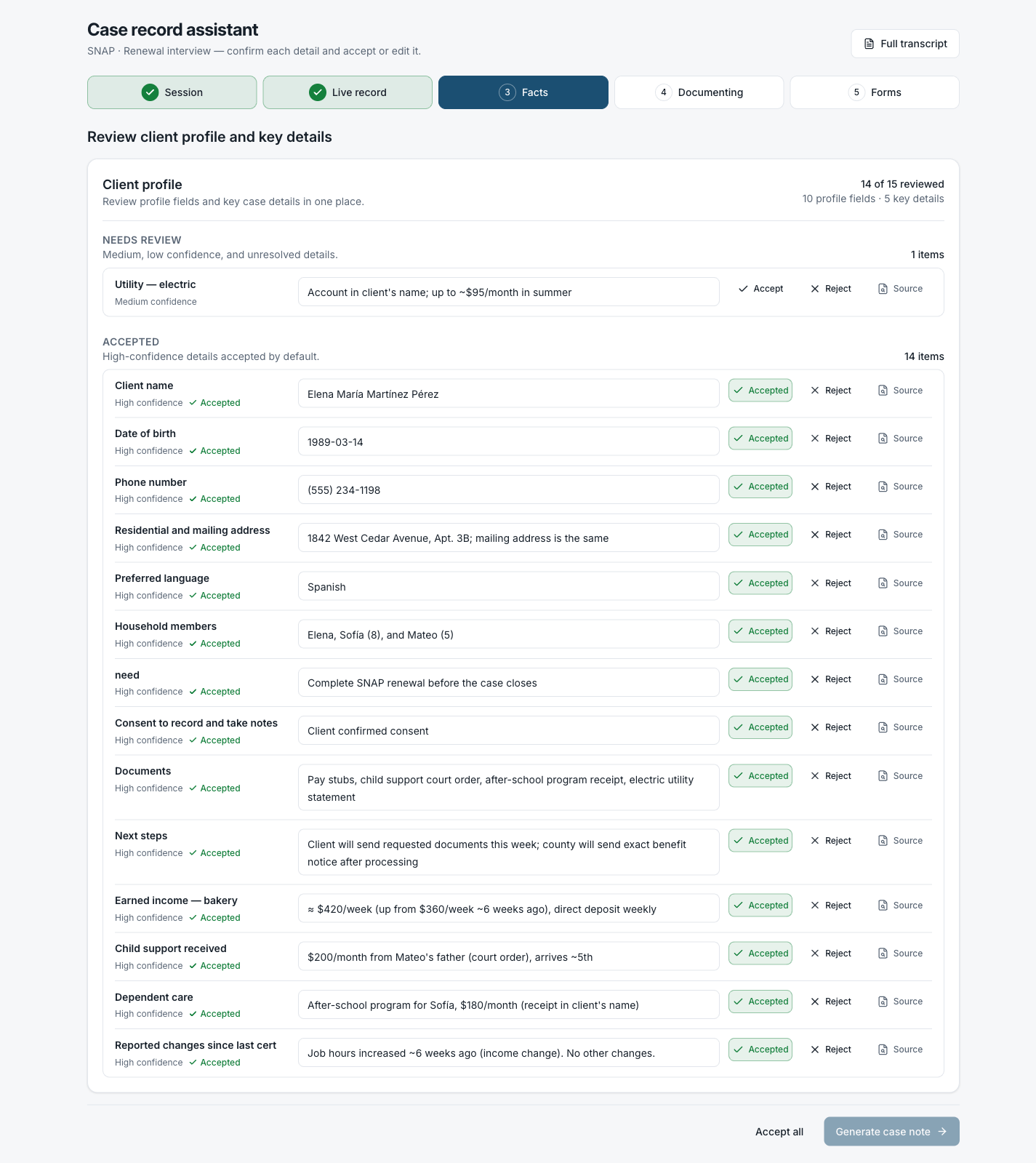
Fact review. Lower-confidence items surface first. Every fact has Accept, Reject, and Source controls.
Every fact links back to the exact moment in the conversation it came from. The evidence dialog shows the bilingual transcript scroll alongside a usage panel: the source, confidence band, timestamp, transcript quote, and which note sections the fact was pulled into.
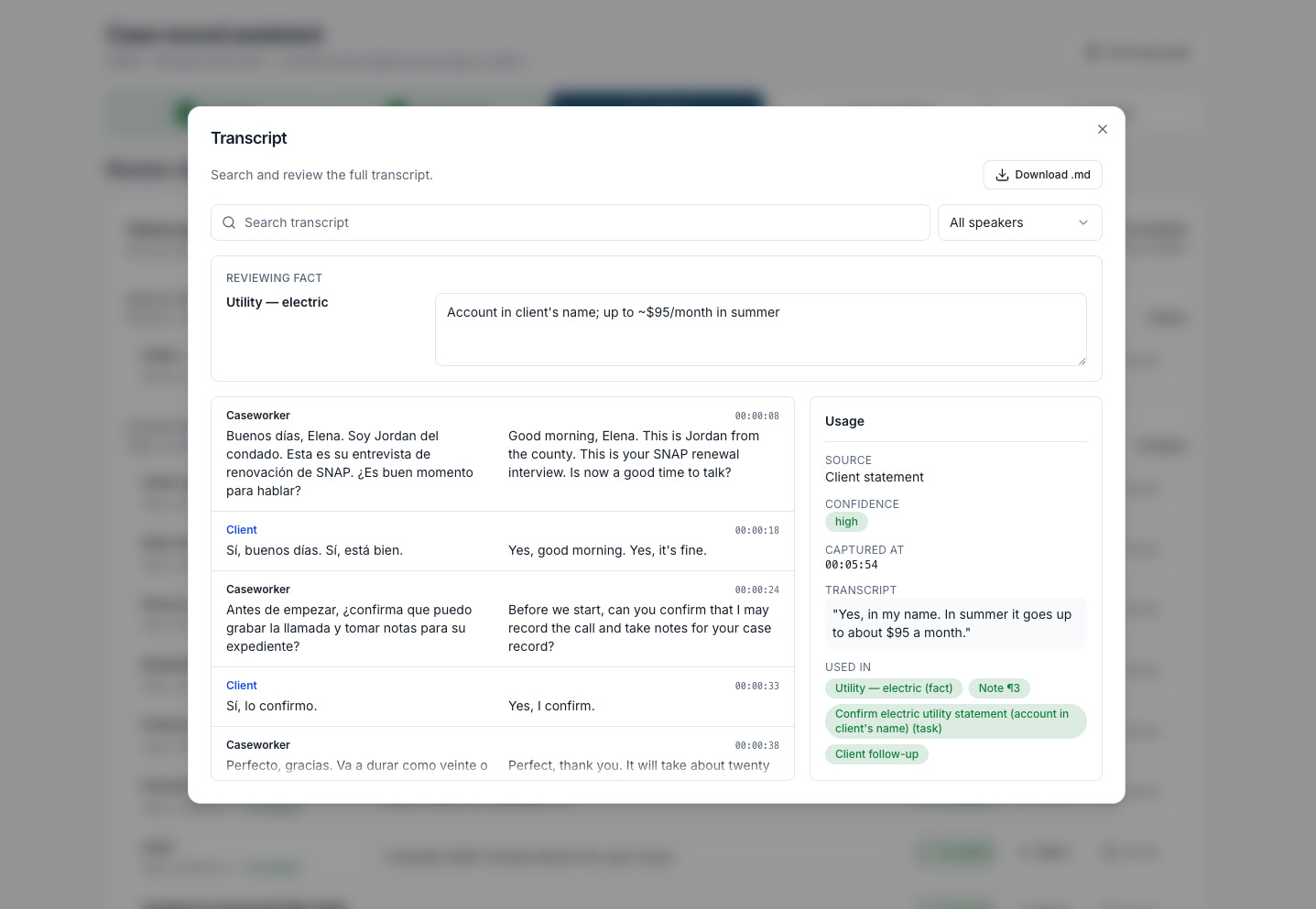
Evidence. The transcript quote, confidence, timestamp, and the note sections it feeds into, all in one place.
Only after the facts are reviewed does the tool draft the case note. It opens a rich text editor alongside the full transcript, so a worker can read both at once, edit freely, and then send a client-facing summary separately.
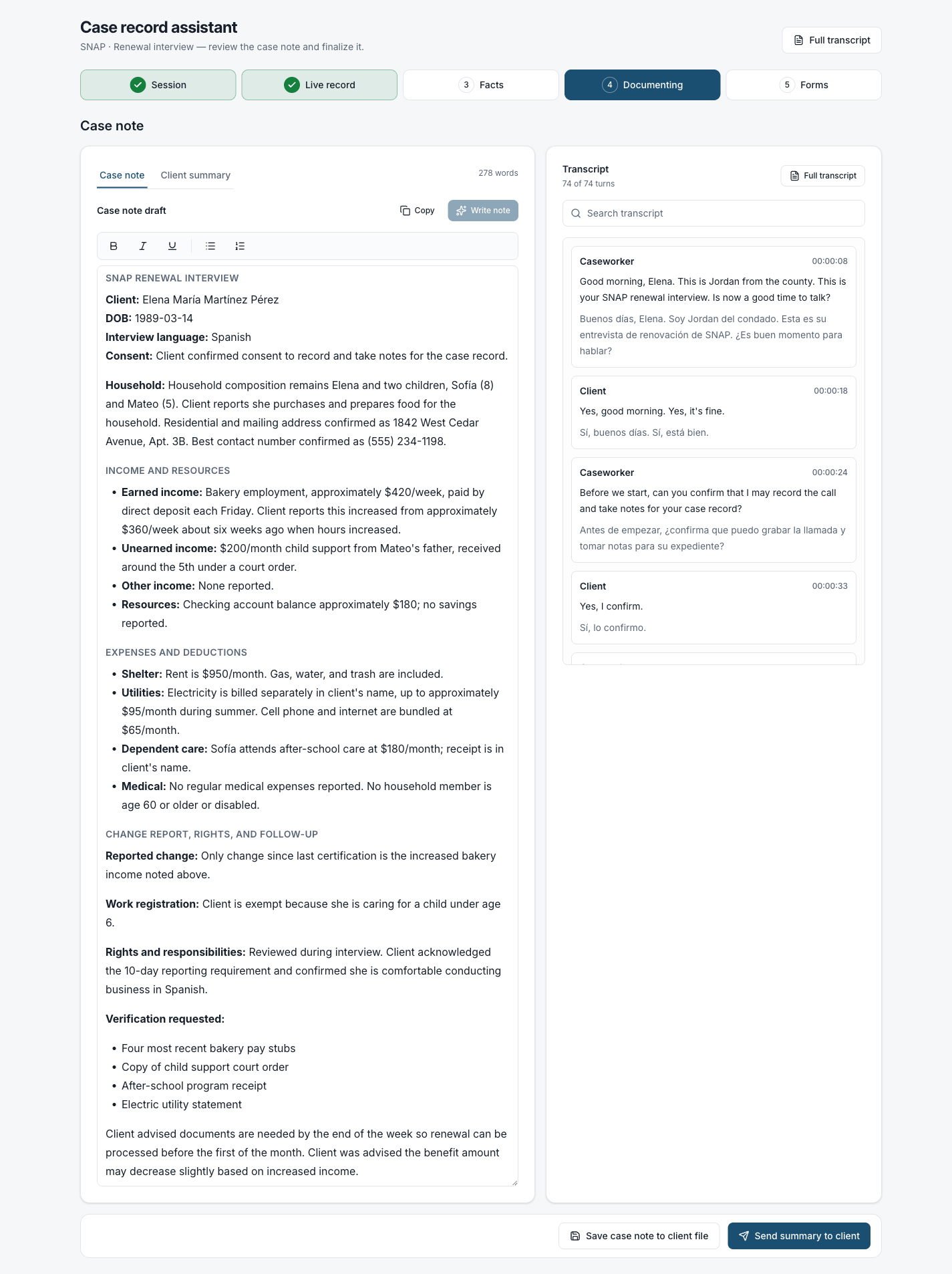
Case note. Generated from the reviewed facts, editable in place, with the full transcript alongside for reference.
Where it is now
While the value of this tool seems clear, there are many challenges to overcome on the road to responsible implementation. Accuracy is key, especially considering the nuanced situations people actually show up with:
several family members talking in the same room,
someone switching languages mid-conversation,
Accents,
Correctly recording a specific names or $ amounts, or
a client who says one thing early on and corrects it later.
All of this has to land in the record correctly, and getting it wrong is the risk the tool is supposed to reduce. Live speaker labeling, for instance, can drift in the first few seconds of a conversation while the model figures out who’s talking.
Evaluating a voice tool is harder than evaluating a chatbot. When most of the interaction is audio rather than text, there’s no clean transcript to check the output against by default, so it’s tougher to measure whether the tool heard things right.
Look forward to our team sharing more about this focus area, including things like:
How we approach evaluating a tool like this
Feedback and ideas from caseworkers
How to implement tools like this responsibility and securely
And more!
If you do benefits casework, or build tools for people who do, we’d like to hear how this lands. Reach us at labs@navapbc.com. See more about the caseworker tools we’re prototyping, piloting and scaling at caseworker.navapbc.com.